CUSTOM PAYROLL SYSTEM
THE SITUATION
A small business needed a simple payroll system but didn’t want to invest in payroll software yet.
THE PROBLEM
Payroll was being calculated manually each pay period, leading to inconsistencies and no clear record of payments or deductions.
WHAT I BUILT
A structured payroll system in Google Sheets that tracked employee data, calculated pay automatically, and generated clean, repeatable payroll records.
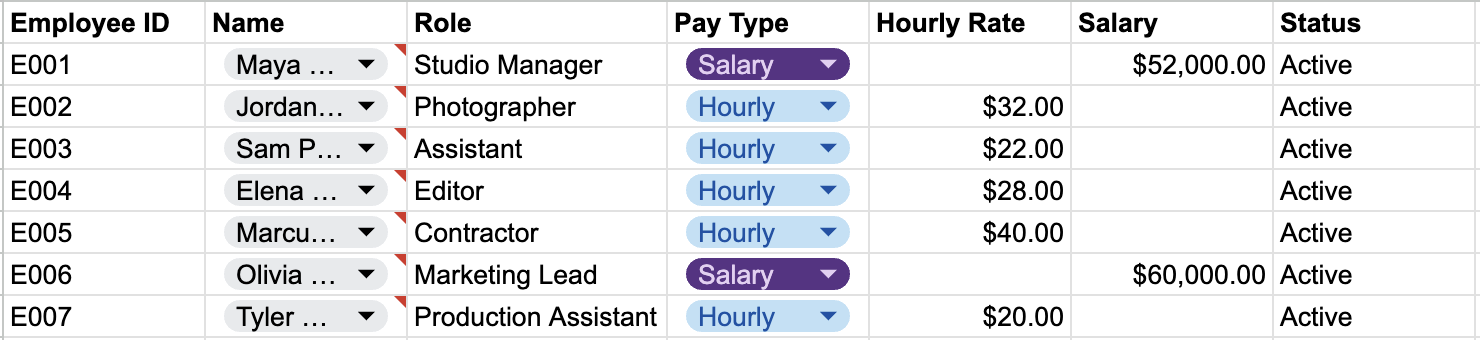
Employee Database

Timesheet Tracker

Payroll Calculator
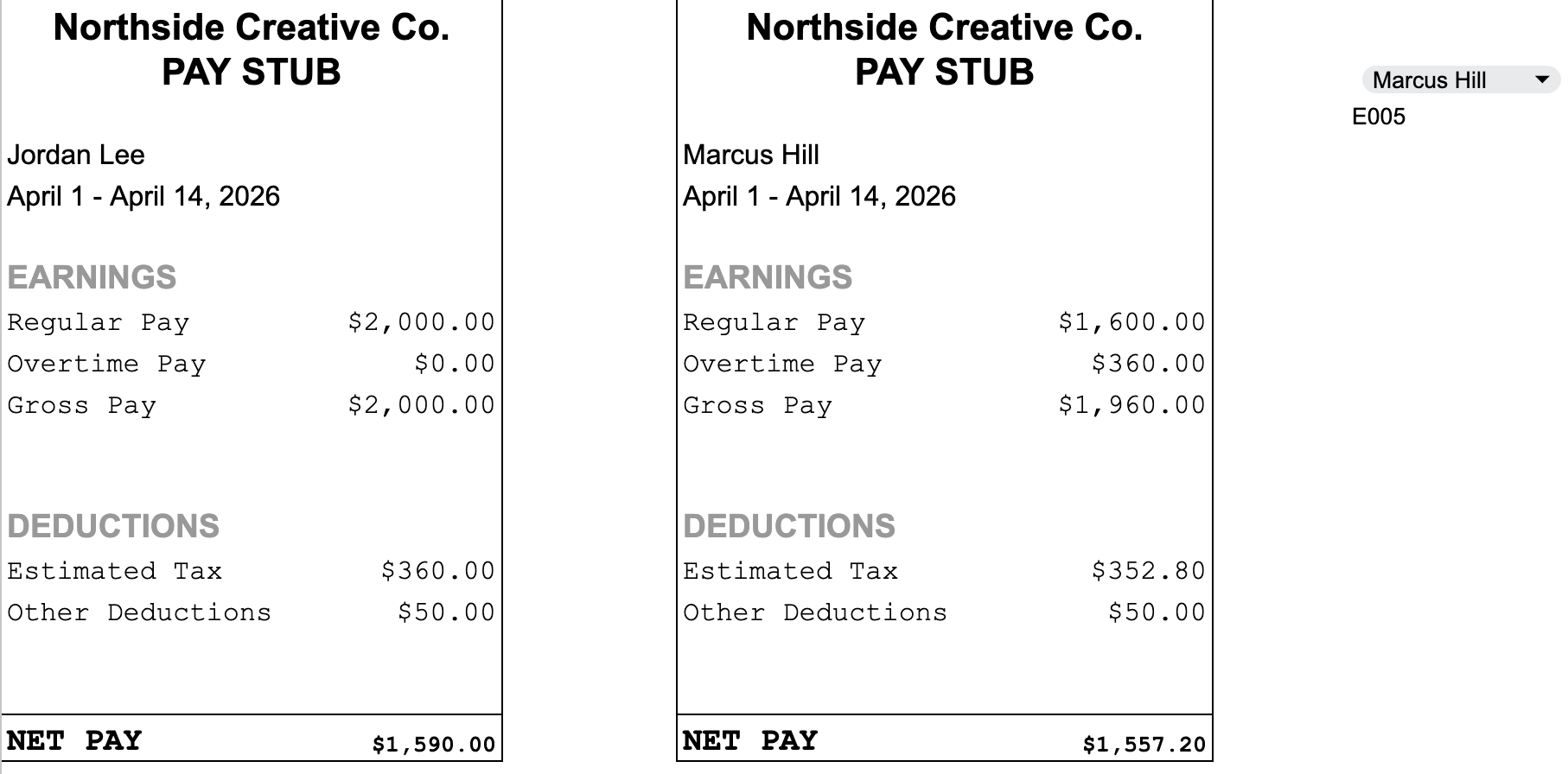
Pay Stub + Automated Pay Stub
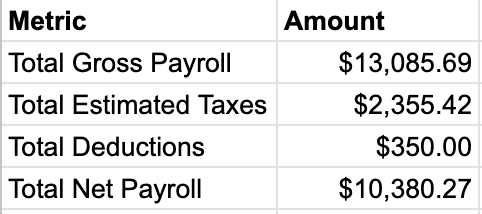
Payroll Summary
THE RESULT
Payroll became consistent, transparent, and easy to run each pay period without additional software.
KEY FEATURES
Centralized employee data
Automated gross → net calculations
Clear pay period tracking
Simple pay stub structure
Repeatable weekly/biweekly workflow
IMPLEMENTATION PATH
While this system was built in Google Sheets for clarity and flexibility, the structure is designed to map directly into payroll platforms like Gusto or Xero.
Each component of the system aligns with how modern payroll tools operate:
Employee Database → Employee Profiles
Pay type (hourly vs salary)
Compensation details
Role and status
Timesheet Tracker → Time Tracking / Hours Input
Regular and overtime hours
Notes for context and reporting
Payroll Calculator → Automated Payroll Runs
Gross pay calculations
Tax estimates
Standardized deductions
Pay Stub Output → Employee Pay Stubs
Clear breakdown of earnings, deductions, and net pay
Structured for easy export or platform generation
Payroll Summary → Payroll Reporting
Total payroll cost
Tax estimates
Net payout tracking
WHY BUILD IT THIS WAY FIRST
Before implementing payroll software, many businesses:
Don’t have standardized pay structures
Track hours inconsistently
Lack visibility into payroll totals
This system creates a clean foundation so that when payroll software is introduced:
Data is accurate
Setup is faster
Ongoing management is simpler
WHAT IMPLEMENTATION LOOKS LIKE
From this system, the next step would be:
Set up employee profiles in Gusto or Xero
Input pay structures (hourly vs salary)
Configure payroll schedules and tax settings
Connect time tracking (if needed)
Transition from manual tracking to automated payroll runs
This case study uses fictional names, employee data, and financial figures to demonstrate system structure and functionality. No real client or employee information is shown.
Need a cleaner way to run payroll?